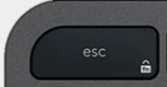
F10 replacement key QWERTY (PT) Black for Logitech MX Keys
F10Replacement key for Logitech keyboard MX Keys
In stock
Specifications
- Category
- Function keys
- Keyboard layout
- QWERTY (PT)
- Compatibility
- MX Keys (PC)
- Color
- Black
- Size
- 1U (standard)
Compatible with these Logitech keyboards
- Logitech Signature Slim K950
- Logitech MK950 Signature Slim
- Logitech Signature Slim MK955
- Logitech Signature Slim Solar+ K980
- Logitech ERGO K860
The key shipped is a compatible MX Keys key: same scissor mechanism and mounting as the original, with legend and finish that may differ slightly depending on the keyboard.
About the F10 replacement key
A single F10 replacement key for the Logitech MX Keys, shipped with the key cap hinge and rubber cup. Whether the cap snapped, went missing or stopped responding, this restores it in minutes. Each order is the single F10 key shown — pick exactly the key you need and keep typing in minutes.
Compatibility
This F10 keycap is cut for QWERTY (PT) keyboards and fits MX Keys (PC) along with the wider MX Keys, MX Keys S, MX Keys Mini and MX Keys for Mac family, which all share the same key profile. The legend and character set match the QWERTY (PT) layout, so the key you receive is exactly the one printed on your keyboard.
Why the F10 key fails
The F10 key is part of the function row that drives shortcuts, media and brightness controls. These keys are pressed less often than letters but their thin hinges are just as fragile when a fingernail or cleaning catches them at an angle. Ordering the exact key you need avoids buying a full keycap set you don't want.
How to install it
Replacing the F10 key takes under a minute and needs no tools. Line the new cap up over the white scissor hinge and press straight down until you feel a soft click. The plastic key cap hinge is included, so you can also fix a key that lost its clip — not just the visible cap.
F10 key — questions
- Does this F10 key fit my Logitech MX Keys?
- Yes — it is made for QWERTY (PT) MX Keys (PC) and the shared MX Keys key profile (MX Keys, MX Keys S, MX Keys Mini and MX Keys for Mac). Just confirm your keyboard uses the QWERTY (PT) layout so the printed characters match.
- Is the hinge included with the F10 key?
- Yes. Every F10 replacement ships with the scissor key cap hinge and the rubber dome cup, so you can repair a key that lost its clip or no longer springs back — not only a cracked cap.
- My F10 key still doesn't work after I replaced the cap — why?
- If the key was unresponsive rather than just physically broken, the fault is usually the scissor hinge or the rubber cup underneath. Both are included here, so replace the full mechanism and test again.